 MkSaaS Docs
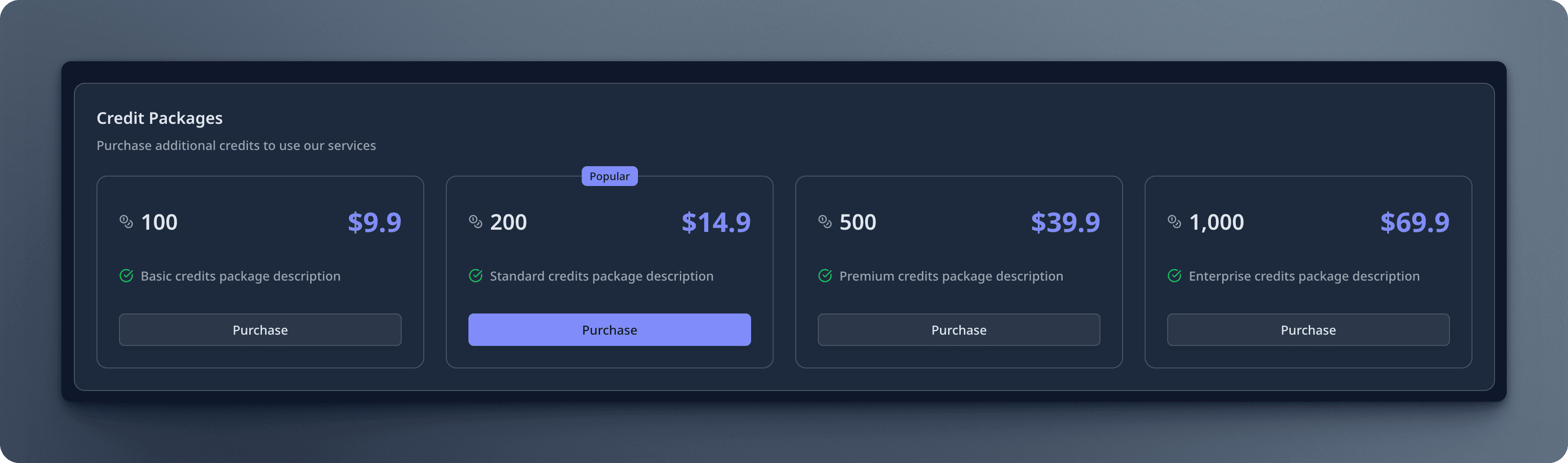
Credit packages
Configuring credit packages
Expands the credit packages defined in website.tsx with translated content.
// Returns credit packages with translated content
export function getCreditPackages(): Record<string, CreditPackage> {
  const t = useTranslations('CreditPackages');
  const creditsConfig = websiteConfig.credits;
  const packages: Record<string, CreditPackage> = {};

  // Add translated content to each package
  if (creditsConfig.packages.basic) {
    packages.basic = {
      ...creditsConfig.packages.basic,
      name: t('basic.name'),
      description: t('basic.description'),
    };
  }
  ...
}
Each credit package in the packages object can have the following properties:
| Property | Type | Description |
|---|---|---|
id | string | Unique identifier for the package |
name | string? | Display name of the package |
description | string? | Description of the package |
popular | boolean | Whether this package is recommended |
credits | number | Number of credits included in the package |
price | object | Price info, including priceId, amount, currency, allowPromotionCode |
expireDays | number? | Validity period (days) for the credits, optional, undefined means no expire |
disabled | boolean? | Whether to disable this package in UI, optional |
Q: What is the difference between the credit packages in website.tsx and the credit packages in credits-config.tsx?
A: The website.tsx file defines the basic information about the credit packages, excluding locale-specific information, whereas the credits-config.tsx file enhances these packages by adding translated content.
The reason is that the credits-config.tsx file can only be used in client-side components, while the website.tsx file can be used in both server-side and client-side components.
Next Steps
Now that you understand the credit packages configuration, explore these related topics: