 MkSaaS文档
博客
学习如何创建、管理和自定义支持多语言的博客文章
MkSaaS 内置一个基于 Fumadocs MDX 构建的博客系统,支持多语言内容、分类、作者和丰富的内容格式。
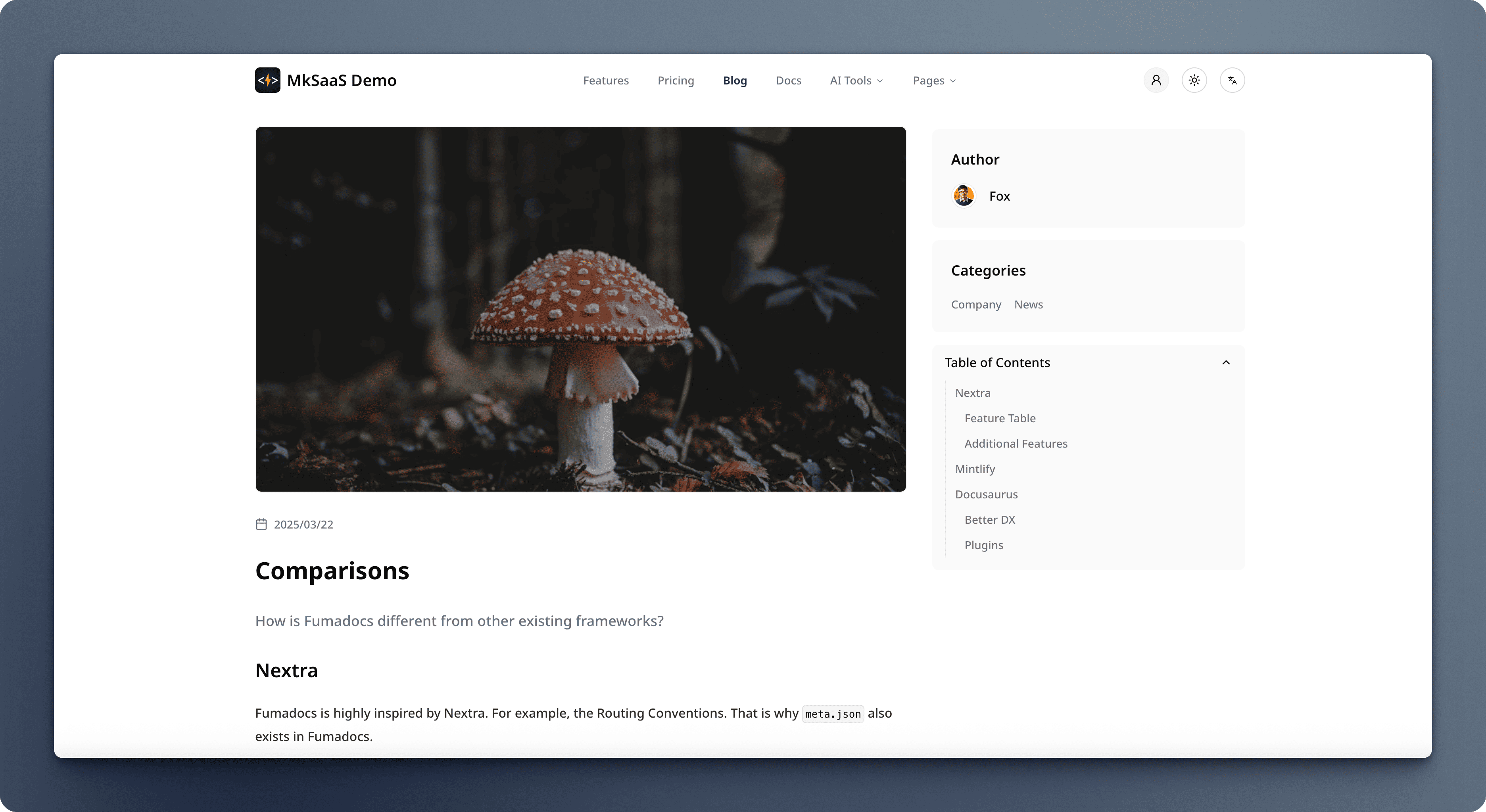
创建博客内容
添加新作者
在 content/author 目录中创建新的 MDX 文件:
---
name: John Doe
avatar: /images/authors/john-doe.jpg
---
添加新分类
在 content/category 目录中创建新的 MDX 文件:
---
name: Tutorial
description: Step-by-step guides to learn new features
---
添加新博客文章
在 content/blog 目录中创建新的 MDX 文件:
---
title: My First Blog Post
description: This is a brief description of my first blog post.
image: https://cdn.mksaas.com/mksaas/images/blog/my-first-post.jpg
date: "2023-12-01"
published: true
categories: ["tutorial", "announcement"]
author: "mksaas"
---

# 介绍

这是我的第一篇博客文章。在这里我将谈论一些有趣的事情。

## 第一部分

这里是一些内容...

## 第二部分

这里是更多内容...
多语言支持
MkSaaS 博客系统完全支持国际化。您可以使用以下文件命名约定创建多语言内容:
- 默认语言(例如英语):
filename.mdx - 其他语言(例如中文):
filename.zh.mdx
多语言作者和分类
对作者和分类遵循相同的模式:
---
name: MkSaaS 团队
avatar: /images/authors/mksaas.jpg
------
name: 公告
description: 官方平台公告和更新
---多语言博客文章示例
英语博客文章:
---
title: Welcome to our Blog
description: Our first official blog post
image: https://cdn.mksaas.com/mksaas/images/blog/welcome.jpg
date: "2023-12-01"
published: true
categories: ["announcement"]
author: "mksaas"
---

英语内容...
同一篇文章的中文版本:
---
title: 欢迎来到我们的博客
description: 我们的第一篇官方博客文章
image: https://cdn.mksaas.com/mksaas/images/blog/welcome.jpg
date: "2023-12-01"
published: true
categories: ["announcement"]
author: "mksaas"
---

中文内容...
自定义
自定义博客文章数据结构
要向博客文章、作者或分类添加新字段:
- 在
source.config.ts中修改架构 - 运行命令
pnpm run content重新生成.source文件夹 - 更新组件以显示新字段
更改博客文章卡片布局
在 src/components/blog/blog-card.tsx 中自定义博客卡片组件。