 MkSaaS 문서
AI
Learn how to set up and use AI features
This guide will help you set up and use AI features.
AI Chat Bot
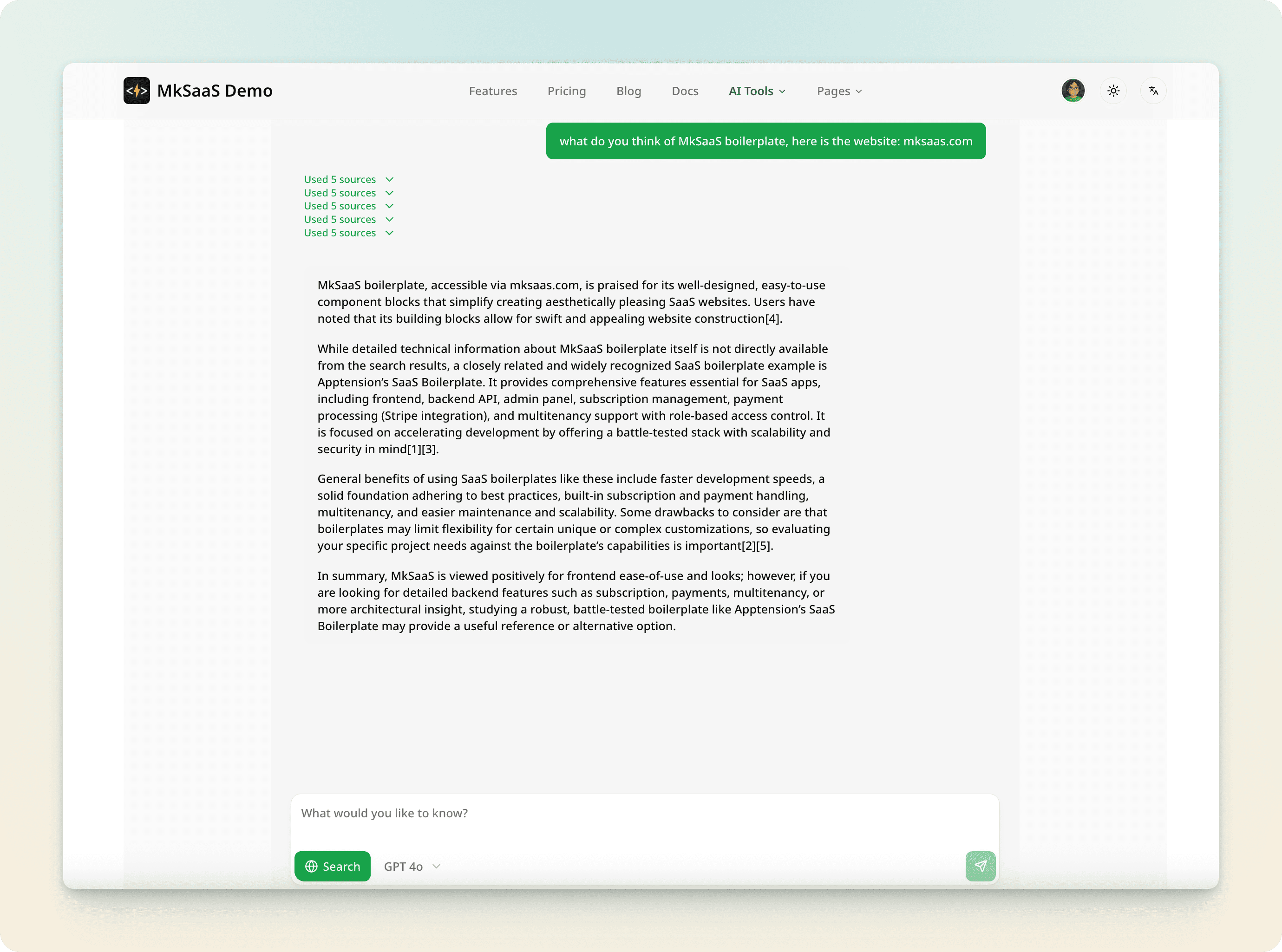
AI Chat Bot is a feature that allows you to chat with AI.
Environment Variables
Get your AI Gateway key from Vercel, and set it in the environment variables.
| Variable | Description |
|---|---|
| AI_GATEWAY_KEY | AI Gateway key |
Demo
Visit the AI Chat Bot page to see the demo, it supports chatting with AI models.
AI Text Generator
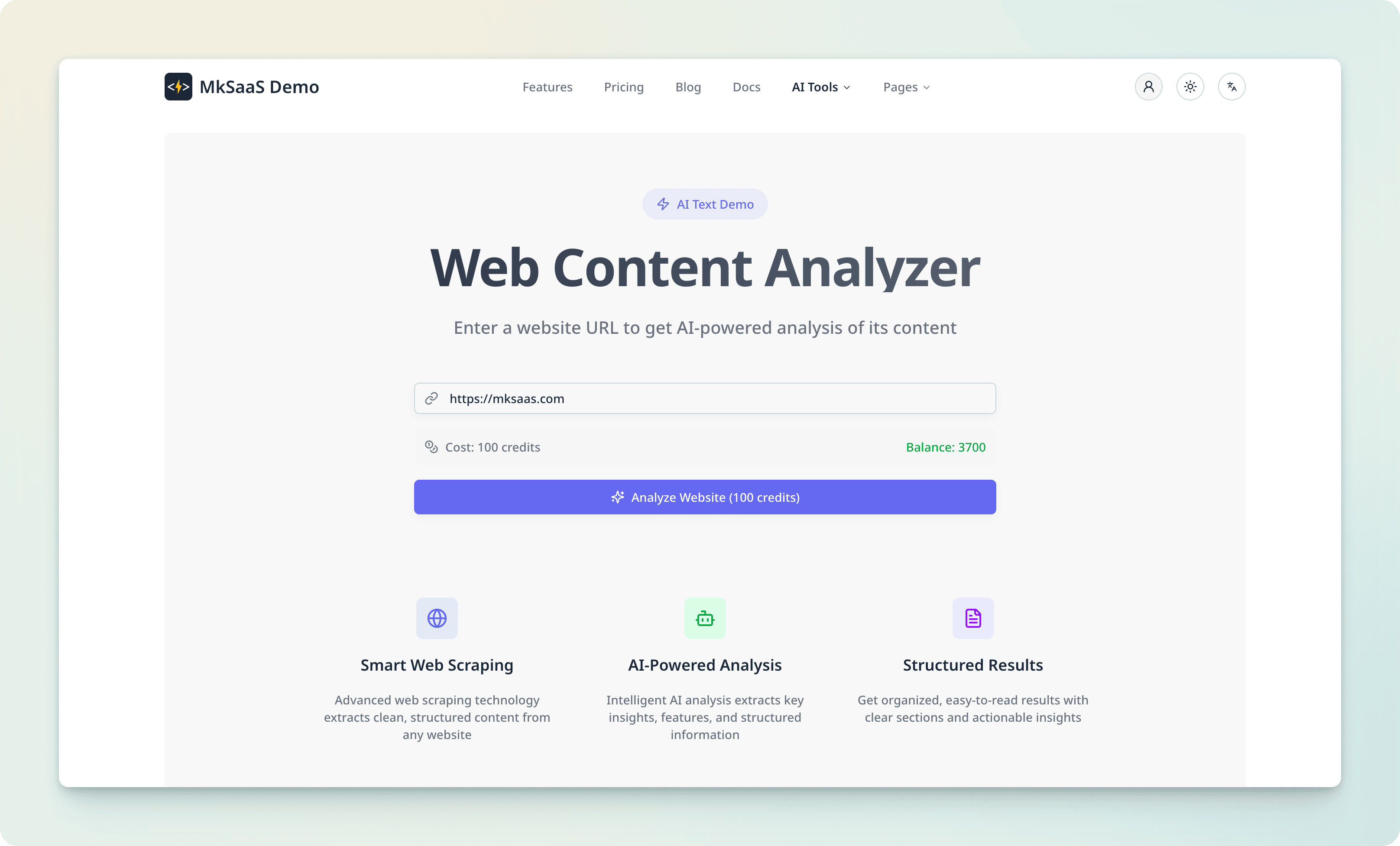
The AI Text Generator is a feature that allows you to generate text using AI.
Environment Variables
Get your API keys from the following providers, and set them in the environment variables.
| Variable | Description |
|---|---|
| OPENAI_API_KEY | API key for OpenAI |
| GOOGLE_GENERATIVE_AI_API_KEY | API key for Google Generative AI |
| DEEPSEEK_API_KEY | API key for DeepSeek |
| OPENROUTER_API_KEY | API key for OpenRouter |
Demo
Visit the AI Text Generator page to see the demo, it supports scraping any website content, and using AI models to summarize the content.
AI Image Generator
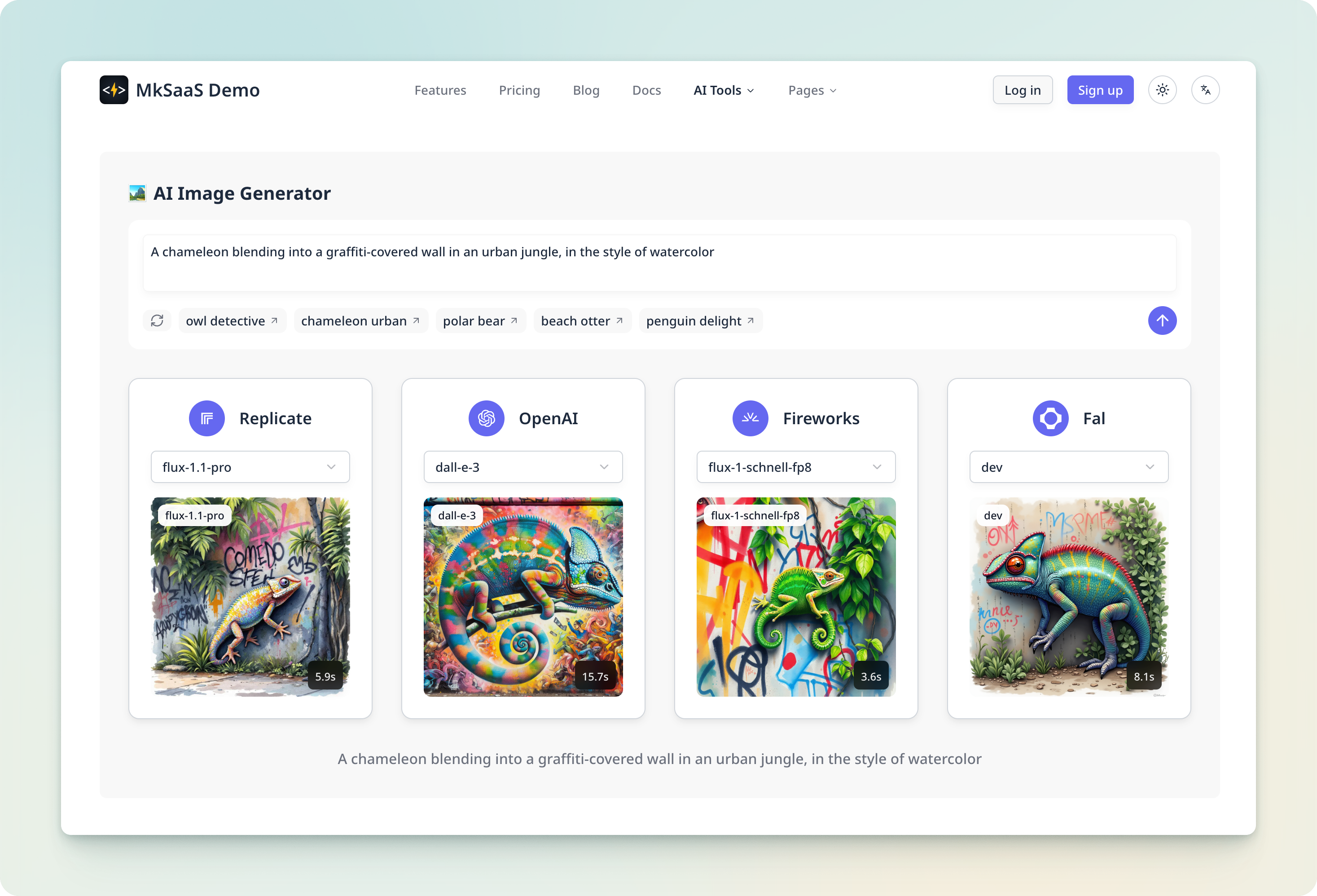
The AI Image Generator is a feature that allows you to generate images using AI.
Environment Variables
Get your API keys from the following providers, and set them in the environment variables.
| Variable | Description |
|---|---|
| FAL_API_KEY | API key for FAL |
| FIREWORKS_API_KEY | API key for Fireworks |
| OPENAI_API_KEY | API key for OpenAI |
| REPLICATE_API_TOKEN | API key for Replicate |
Demo
Visit the AI Image Generator page to see the demo, it supports generating images using various AI models based on prompts.
Video Tutorial
A Complete Guide To Vercel’s AI SDK // The ESSENTIAL Tool For Shipping AI Apps
Reference
- AI SDK
- AI Elements
- AI Gateway
- OpenAI
- Google Generative AI
- DeepSeek
- OpenRouter
- FAL
- Fireworks
- Replicate
Notices
- As of January 25, 2026, the
mainbranch of the MkSaaS template no longer includes AI Text/Image/Chat features, and the related code has been moved to thedev/ai-demobranch.
Next Steps
While this guide is under construction, explore these related topics: